
![How can office buildings reduce access control risks [city]](https://leadelementsecurity.co.uk/wp-content/uploads/2026/06/How-can-office-buildings-reduce-access-control-risks-1024x683.webp "How can office buildings reduce access control risks | Lead Element Security Group Ltd")
Table of Contents
- What Are “Access Control Risks” In Office Buildings?
- Most Common Access Control Vulnerabilities (And What They Look Like Day To Day)
- Layered Controls That Reduce Risk (Quick Wins To Advanced Measures)
- Processes That Prevent Access Control Failures
- Monitoring, Audits And Reporting (Prove Controls Are Working)
- Compliance And Governance Considerations (UK)
- Access Control Risk Reduction Checklist (Copy/Paste For Building Managers)
- When To Bring In Professional Guarding Or Concierge Support
- Frequently Asked Questions
- Anonymised Example: How Layering Reduced Incidents
- Fun Fact: Why Card Upgrades Still Matter
- Conclusion: Reduce Risk By Managing People, Process, And Technology Together
Office buildings reduce access control risks by combining robust entry procedures with layered controls. This includes secure door hardware, well-managed credentials, multi-factor authentication (MFA) where appropriate, strong visitor and contractor screening, anti-tailgating measures, and continuous monitoring. Regular access reviews, clear policies, staff training, and incident response testing help prevent misuse and stop small weaknesses becoming breaches.
Access control failures rarely come from one dramatic weakness. They usually happen when everyday behaviours (holding a door, sharing a fob, waving a contractor through) meet gaps in process and technology.
The good news is that most risk reduction is practical. Tighten reception routines, reduce privileges, upgrade credentials where it matters, and prove it all works through audits.
This guide explains real-world vulnerabilities in office buildings. It also provides layered, UK-appropriate controls for both single-tenant HQs and multi-tenant buildings with shared reception.
What Are “Access Control Risks” In Office Buildings?
Access control risk is the chance that someone gains entry to your building, floor, or sensitive area when they should not. It also includes cases where someone uses legitimate access in an unsafe way.
In offices, this can lead to theft, data exposure, personal safety incidents, or disruption to operations.
Physical Risks (Unauthorised Entry, Tailgating, Forced Doors)
- Tailgating and piggybacking: An unauthorised person follows closely behind an authorised person through a controlled door or turnstile.
- Forced entry: Doors are forced, wedged, or bypassed due to weak hardware or poor maintenance.
- After-hours intrusion: Low occupancy and reduced supervision make it easier to enter unnoticed.
Operational Risks (Weak Processes, Contractor Access, Poor Onboarding/Offboarding)
- Weak visitor controls: Visitors are not verified, not escorted, or badges are not collected.
- Contractor sprawl: Cleaners, IT engineers, and fit-out teams keep access longer than needed.
- Offboarding delays: Leavers retain active credentials, including remote-issued mobile passes.
Technology Risks (Credential Cloning, Misconfigured Systems, Shared Logins)
- Cloned credentials: Older, low-frequency proximity cards can be copied, creating valid-looking access attempts.
- Misconfiguration: Doors unlock on schedules that no longer match occupancy, or alarm inputs are not enabled.
- Poor administration: Shared admin accounts, weak passwords, or remote access left open to the internet.
Most Common Access Control Vulnerabilities (And What They Look Like Day To Day)
Tailgating And Piggybacking At Reception And Turnstiles
Typical signs include: People carrying boxes being waved through, “just behind you” requests, and busy morning peaks where staff stop challenging strangers.
Tailgating is often the single biggest practical risk because it bypasses credential controls entirely.
Lost, Loaned Or Shared Cards/Fobs
Day-to-day risk shows up when “I forgot my pass” becomes normal. It also appears when colleagues lend cards or spare fobs are kept in drawers “just in case”.
Without strong procedures, a lost card becomes a silent vulnerability until it is reported and disabled.
Excess Privileges And ‘Access Creep’
Access creep happens when people change roles, teams, or floors and keep old permissions. Over time, too many staff can access comms rooms, storerooms, plant areas, or executive spaces.
This makes insider misuse and accidental incidents more likely.
Visitor/Contractor Gaps (Temporary Badges, Unattended Deliveries)
- Visitor badges that look like staff passes: This makes challenges harder and increases social engineering success.
- Unescorted contractors: Especially during fit-outs, cleaning shifts, or out-of-hours maintenance.
- Deliveries left at doors: Leading to propped doors, opportunistic entry, or theft.
Doors Propped Open And Faulty Hardware
Common examples include fire doors wedged for airflow, faulty closers, misaligned strikes, and doors that do not latch reliably.
These issues often persist because nobody “owns” the fix, and the impact is not measured.
Layered Controls That Reduce Risk (Quick Wins To Advanced Measures)
Layering means you do not rely on one control. If a credential is copied, anti-tailgating, monitoring, and response measures can still reduce the chance of a breach.
If reception is busy, turnstiles and clear visitor rules still help.
Front-Of-House Controls: Reception, Concierge And Challenge Culture
- Set the tone at reception: Clear sign-in, visible staff presence, and consistent questioning reduce social engineering.
- Build a challenge culture: Staff should feel able to politely question unknown people in controlled areas.
- Use clear, differentiated badges: Visitor passes should be obvious at a glance and time-limited.
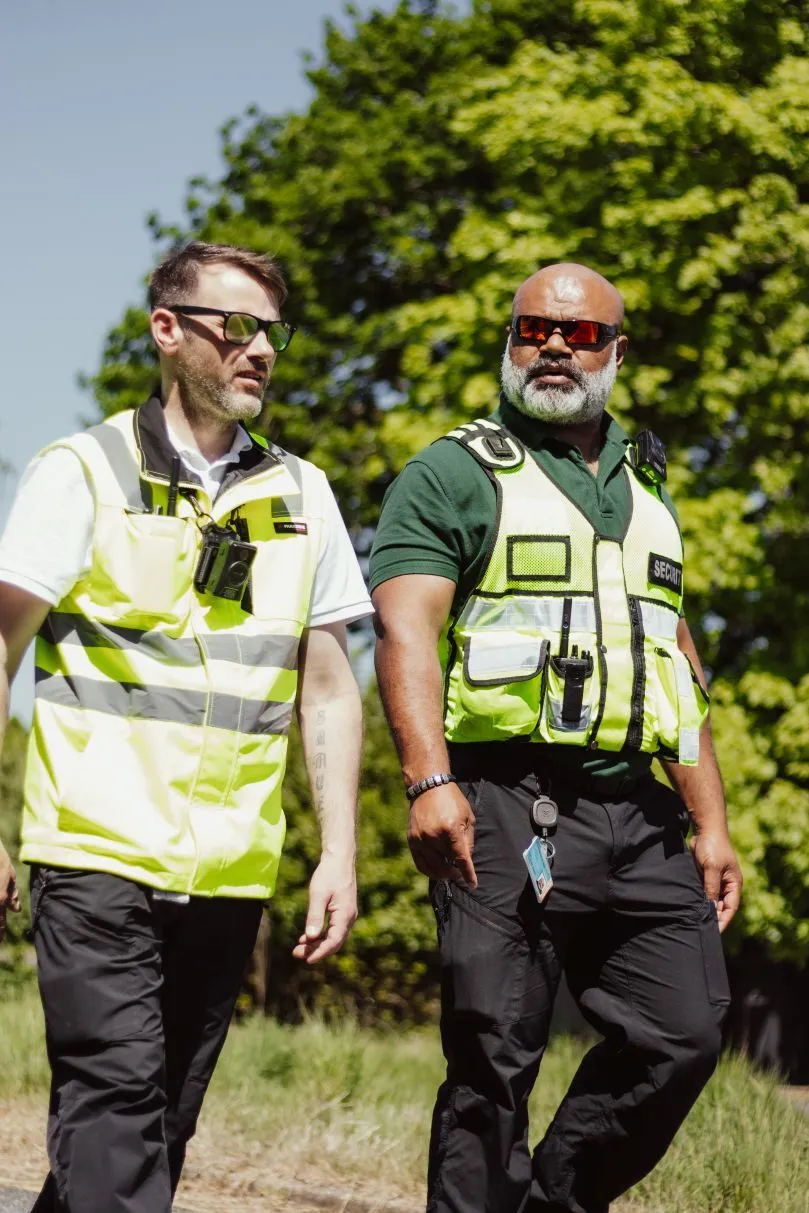
Field Insight: A site security supervisor in a multi-tenant office described the most common failure as “people being nice at the wrong moment”. Staff held secure doors for someone they did not recognise during the morning rush. Consistent reception scripting and visible supervision reduced these incidents quickly.
If you need trained front-of-house support, Lead Element Security can help you design a proportionate model that combines concierge presence with protective security behaviours. See concierge security and protective security officers.
Anti-Tailgating: Turnstiles, Interlocks, Door Alarms And Signage
- Speed gates or turnstiles: Best for busy lobbies where you need throughput with control.
- Interlocks (mantrap-style doors): Best for high-security areas where only one person should pass at a time.
- Door held open alarms: Best for secondary entrances and riser doors where propping is common.
- Forced door alarms: Best where attacks on hardware are plausible or where doors are frequently abused.
- Clear signage: Best as reinforcement. It supports challenging and sets expectations.
Choose controls based on footfall, risk, and layout. A turnstile at reception may reduce tailgating more than any credential upgrade, because it changes behaviour at the point of entry.
Credential Upgrades: From Basic Fobs To Encrypted Cards And Mobile Credentials
Credential strength matters most when your perimeter is strong enough to make credential attacks worthwhile.
Consider upgrading if you have valuable assets on-site, shared lobbies, or repeated issues with lost cards and unknown people.
- Move from legacy proximity to encrypted credentials: This reduces the risk of cloning and replay.
- Implement controlled issuance: Photo ID checks, sign-out records, and defined approval workflows reduce misuse.
- Consider mobile credentials: They can support faster revocation and reduce casual sharing, but they still need clear governance.
Multi-Factor Access For Sensitive Areas (Server Rooms, Comms Cupboards, Plant Rooms)
Multi-factor access requires more than one element to enter a space. For example, card plus PIN, card plus biometric, or card plus mobile approval.
It is particularly useful for:
- Server and comms rooms: Where a short, unauthorised visit can create major cyber and business risk.
- Plant rooms and rooftops: Where safety and sabotage risks are higher.
- Records storage and HR areas: Where personal data and confidential documents may be accessible.
Keep it proportionate. Adding MFA to every internal door can slow operations and encourage workarounds. Prioritise high-impact rooms and out-of-hours access.
Zoning And Time Schedules (Least Privilege By Floor, Suite And Time-Of-Day)
- Define zones: Public, tenant-only, staff-only, sensitive, and critical infrastructure.
- Apply least privilege: Only grant access needed for role, location, and shift pattern.
- Use time schedules: Restrict access to sensitive areas outside approved windows.
This is where many offices find easy wins. Removing unnecessary access often reduces risk more than buying new hardware.
Visitor Management Done Properly (ID Checks, Pre-Registration, Escort Rules)
- Pre-registration: Hosts submit visitor details in advance, improving control at busy times.
- ID verification: Check photo ID for higher-risk visits, and document the rule so it is consistent.
- Escort policy: Define where escorts are required, and who can approve unescorted access.
- Badge control: Issue time-limited, clearly marked badges and collect them on exit.
- Contractor permits: For works, tie physical access to permit-to-work and site rules.
Visitor management systems can help, but the core control is still process and enforcement.
If your building has multiple tenants, agree shared visitor standards so reception is not pressured to make exceptions.
Key And Lock Management (Master Key Risk, Keyholding, Restricted Key Systems)
Many offices focus on cards and forget mechanical keys. Keys remain common for cupboards, comms racks, risers, and overrides.
- Reduce master key exposure: Master keys are high-value items. Treat them like privileged credentials.
- Use restricted keyways: Limit unauthorised key cutting, and keep clear key-issue records.
- Define keyholding responsibilities: Ensure out-of-hours access is controlled and auditable.
Integration: Access Control + CCTV + Alarms + Intercoms (And Why It Matters)
Integration reduces investigation time and increases confidence that controls are working. Examples include:
- Access event to video: Clicking an access log event shows the associated CCTV clip.
- Door alarm to response: Forced-door and door-held-open alarms route to a monitored response plan.
- Intercom verification: Remote verification before unlocking secondary entrances.
Integration also helps with soft spots, such as side doors used by smokers or loading bays.
If you can see and measure what is happening, you can manage it.
Processes That Prevent Access Control Failures
Technology cannot compensate for unclear ownership. The strongest offices treat access control as an ongoing operational process, not a one-off installation.
Onboarding/Offboarding Checklist (Employees, Temps, Cleaners, IT Contractors)
Use this as a baseline workflow:
- Verify identity before issuing credentials: Require photo ID and documented approval.
- Issue role-based access only: Map roles to zones, floors, and time schedules.
- Train on entry rules on day one: Include anti-tailgating expectations and how to report incidents.
- Contractor and cleaner governance: Use named individuals, not company passes, and define work windows.
- Immediate offboarding actions: Disable credentials, retrieve badges, and remove users from access groups.
- Leaver confirmation: Confirm deactivation within a defined service level agreement (SLA), for example within 1 hour for urgent leavers.
For multi-tenant buildings, agree who owns each step. This may include the landlord, managing agent, tenant, and the security team.
Regular Access Reviews And Permission Recertification
- Monthly: Review leavers, lost credentials, and temporary passes that are still active.
- Quarterly: Recertify access to sensitive zones (IT, plant, HR, executive areas).
- Biannually: Review all access groups and time schedules for drift.
Focus on exceptions. Pay special attention to users with broad access, out-of-hours patterns, and shared areas where multiple tenants overlap.
Incident Handling: Lost Cards, Suspected Cloning, Forced Entry, Duress
Define what good looks like before an incident happens:
- Lost card procedure: Disable immediately, record the event, and reissue only after identity verification.
- Suspected cloning: Treat as a security incident. Investigate logs, review credential type, and check for tailgating patterns.
- Forced entry response: Verify via CCTV, dispatch a response, preserve evidence, and remediate hardware quickly.
- Duress planning: For higher-risk sites, consider duress codes or procedures and train staff on safe escalation.
Also plan for resilience:
- Fire alarm behaviours: Confirm how doors release and how you prevent re-entry into controlled zones during evacuations.
- Power and network outages: Decide fail-safe versus fail-secure per door based on life safety and security risk.
- Manual override governance: Control who can override doors and how it is logged.
Monitoring, Audits And Reporting (Prove Controls Are Working)
If you cannot measure it, you cannot manage it. Monitoring also stops small weaknesses from becoming normalised.
What To Audit: Door Events, Anomalies, Alarms, And ‘Door Held Open’ Trends
- Door held open events: Identify repeat locations and times, then fix root causes (closers, airflow, deliveries).
- Forced door events: Investigate every occurrence, even if it looks like a fault.
- Access denied spikes: May indicate user confusion, misconfiguration, or attempted misuse.
- After-hours access: Review out-of-pattern activity, especially in sensitive areas.
- Anti-passback exceptions: Where used, frequent exceptions may signal sharing or process gaps.
KPIs For Facilities/Security Teams (Tailgating Reports, Access Removals, Response Times)
- Tailgating interventions recorded: Track challenges and outcomes, not just incidents.
- Time to deactivate leavers: Measure from HR notification to credential disablement.
- Time to disable lost credentials: Measure from report to system action.
- Door fault closure time: Track how quickly broken closers and misalignments are repaired.
- Visitor exceptions: Count unregistered visitors allowed, missing escorts, and badge non-returns.
Consider a monthly review meeting between facilities, security, IT, and reception or concierge teams.
This helps you reflect changes in occupancy and risk quickly.
Compliance And Governance Considerations (UK)
GDPR/ICO Considerations For Access Logs And CCTV Footage
Access logs and CCTV footage can be personal data when they relate to identifiable individuals. Key governance actions include:
- Define purpose and lawful basis: Document why you collect logs and footage, and who can access them.
- Set retention periods: Keep data for no longer than needed for security and investigation purposes.
- Control access: Restrict who can view logs and CCTV, and keep audit trails.
- Be transparent: Use signage and privacy notices that reflect actual practice.
For UK guidance, refer to the Information Commissioner’s Office (ICO) for data protection expectations around CCTV and personal data handling.
Protective Security Guidance And Risk Assessment Approach
Use a risk assessment approach that matches threats, vulnerabilities, and impact. Then choose proportionate controls.
UK protective security principles and good practice are available via the National Protective Security Authority (NPSA).
Also consider physical and cyber convergence. If your access control system is on the network, weak remote administration can become a route to compromise. The National Cyber Security Centre (NCSC) provides broader guidance on cyber risk management that applies to identity and system administration.
For industry context on guarding and security management practices, the British Security Industry Association (BSIA) is a useful reference point for terminology and good practice.
Simple Office Access Risk Assessment Template
Use this template to structure decisions and document residual risk. Keep it simple, and review it when occupancy, tenants, or threats change.
| Asset/Area | Threat | Vulnerability | Current Controls | Improvement Actions | Residual Risk |
|---|---|---|---|---|---|
| Main Reception Entry | Tailgating | Peak-time crowding | Turnstiles, CCTV, reception staff | Challenge scripting, signage, staffing at peak times | Medium |
| Server Room | Insider misuse | Too many authorised users | Card access, access logs | MFA, quarterly recertification, CCTV integration | Low to Medium |
| Loading Bay Door | Unauthorised entry | Door propped for deliveries | Intercom, CCTV | Door-held-open alarm, delivery process, scheduled deliveries | Medium |
Access Control Risk Reduction Checklist (Copy/Paste For Building Managers)
- Entrance Control: Confirm every entry point has a defined control (reception, turnstile, intercom, or monitored door).
- Anti-Tailgating: Implement turnstiles or supervision at busy points, and enforce a no-tailgating culture.
- Door Hardware: Repair closers, latches, and strikes quickly, and investigate repeat door-held-open alarms.
- Credential Lifecycle: Document issuance, replacement, suspension, and revocation, including for temps and cleaners.
- Least Privilege: Zone the building and restrict sensitive areas to named roles only.
- Time Schedules: Limit after-hours access and review exceptions monthly.
- Visitor Management: Pre-register visitors, verify ID where required, issue visible visitor badges, and collect badges on exit.
- Contractor Controls: Ensure permits-to-work align with access windows, and disable access at job completion.
- Monitoring: Review forced-door events, door-held-open trends, and after-hours anomalies every month.
- Resilience: Test power outage behaviour, fire alarm release behaviour, and manual override procedures.
- Data Governance: Set retention and access controls for access logs and CCTV, and document purpose and access rights.
- Exercises: Run at least one incident response test per year (lost card, tailgating, forced entry).
When To Bring In Professional Guarding Or Concierge Support
Some buildings can run safely with good technology and disciplined processes. Others need an on-site presence to reduce tailgating, manage visitors, and respond to incidents quickly.
Red Flags That Your Building Needs Trained On-Site Presence
- Multiple tenants with shared reception: Responsibility gaps can make enforcement inconsistent.
- High visitor volumes: Reception becomes overwhelmed, leading to exceptions and weak ID checks.
- Frequent propped doors: Especially at loading bays, smoker doors, and staff entrances.
- Regular fit-outs and contractors: Temporary workers create constant onboarding and access changes.
- High-value or sensitive areas: Server rooms, executive floors, or regulated operations.
- Repeat incidents: Theft, unknown people on floors, or multiple lost credential events.
Lead Element Security supports offices with tailored on-site models, from front-of-house concierge to fully deployed guarding. Explore manned guarding, bespoke security, and broader security services. For examples of outcomes, see case studies.
Frequently Asked Questions
What Is The Single Biggest Access Control Risk In Offices?
Tailgating is often the biggest risk because it bypasses credentials completely. If someone can follow others through controlled doors, even the best card technology becomes less effective.
Are Biometric Systems Always Better Than Cards/Fobs?
No. Biometrics can be strong for certain areas, but they must be implemented carefully with privacy, fallback processes, and reliability in mind.
Many offices get excellent risk reduction from encrypted credentials plus anti-tailgating controls, zoning, and regular access reviews.
How Often Should Access Rights Be Reviewed?
As a baseline, review leavers and temporary access monthly. Recertify sensitive-area access quarterly, and review all access groups and schedules at least twice a year.
Increase frequency during high contractor activity or organisational change.
Anonymised Example: How Layering Reduced Incidents
In a multi-tenant office building, management saw repeat reports of unknown people reaching tenant floors. The root causes were peak-time tailgating and inconsistent visitor enforcement.
The building introduced clearer visitor badge design, reception challenge scripting, door-held-open alarms on secondary entrances, and a short-term increase in concierge coverage during peak arrivals.
- Before: Regular tailgating concerns, a high number of visitor exceptions, and repeated door-left-open complaints.
- After: Fewer exceptions at reception, faster response to propped doors, and better audit visibility from alarm and access event reviews.
Fun Fact: Why Card Upgrades Still Matter
Many older 125 kHz proximity cards can be copied quickly using readily available cloning tools. This is why upgrading to encrypted credentials, and adding layered controls like turnstiles, alarms, and monitoring, can reduce risk even when staff still carry a card to open doors.
Conclusion: Reduce Risk By Managing People, Process, And Technology Together
Office access control is not just doors and cards. It includes reception routines, contractor discipline, least-privilege zoning, resilient hardware, and monitoring that proves controls work.
Start with the biggest everyday weaknesses (tailgating, visitor gaps, access creep, and propped doors). Then add credential upgrades and MFA where the impact is highest.
If you would like a practical review of your building’s current risks, policies, and on-site requirements, speak to Lead Element Security. You can learn more about our approach on about us or request support via contact us. For more guidance, browse the blog.